















AI agents that fully automate accounts payable for contractors and engineering firms.

Construction and engineering AP is hard. Most of the spend is subcontractor bills with no PO, every line needs a job, a task and an office before anyone can approve it, and the bill that went to a job site never reached AP. Our agents read every invoice from every inbox, code each line to the project and task or to overhead, and flag a sub's changed bank details or a resent bill before anyone pays. Your project managers approve from the email.

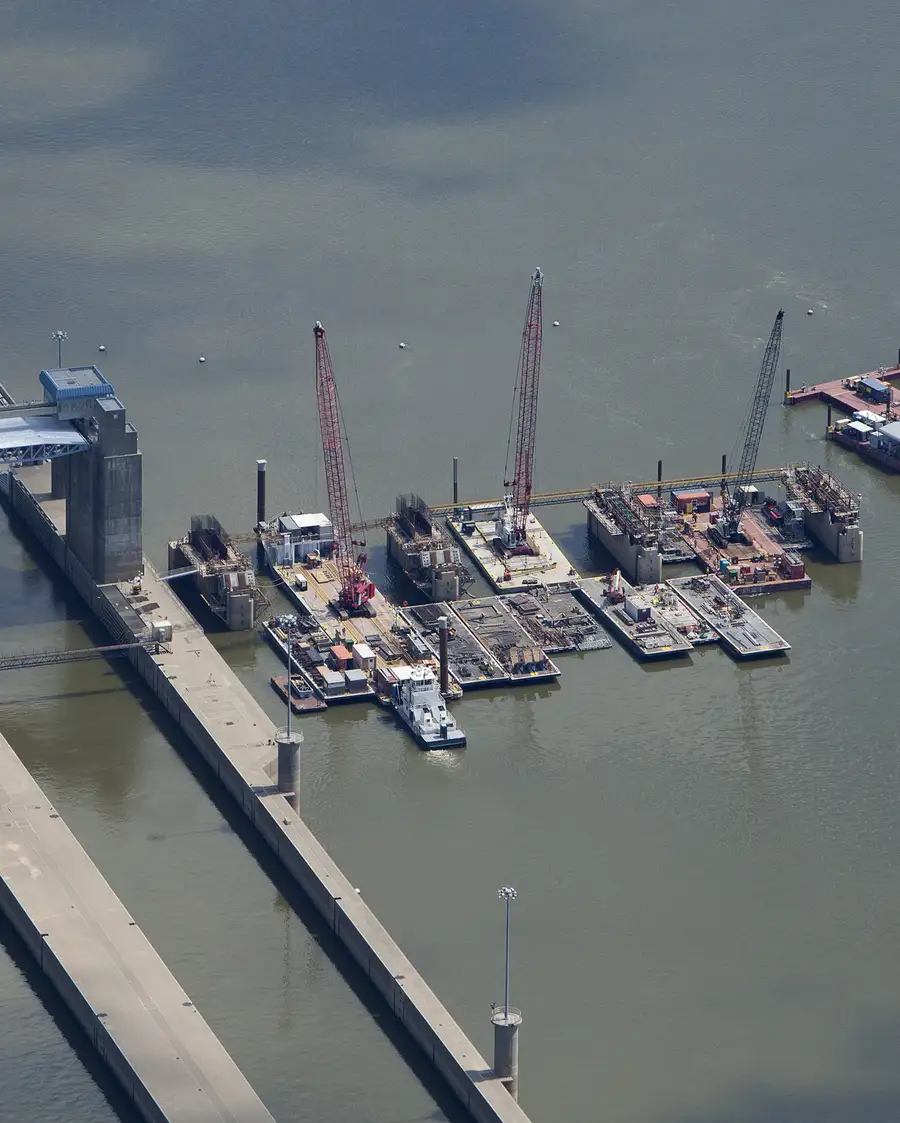
Photo: U.S. Army Corps of Engineers, public domain

ENVE

98.2%accuracy

Midsize manufacturer, SAP ByD

Litco

87.5%

of all invoices are fully touchless

Midsize manufacturer, Epicor

Millwood
"I knew with AI, there was something better out there. … It's really been a great tool, great investment for us."

Bruce Krarup, CFO, Millwood Inc.

Toledo Museum of Art
"Anytime we make a suggestion, two days later it's fixed. A big company would never listen to us that way — that's a huge advantage of working with Clerked."

Patricia O'Toole, CFO, Toledo Museum of Art

97.7%accuracy

across 13 entities in 10 countries

Large public telecom, SAP & NetSuite

"Every other provider wanted to pull AP out of our ERP systems. Clerked works inside them, applying our controls and coding at a scale and speed a human team can't. We grow transaction volumes without growing headcount."

Head of Global Source-to-Pay

Boyd Industries
"Having worked with a variety of AP systems, I can confidently say Clerked is on another level. It's so much more user-friendly for the people actually working in AP."

Krista Simcic, Controller, Boyd Industries

Odeko
ENVE

90.9%

less time spent on AP

"We had anticipated needing to add headcount. Instead, we're doing it more efficiently with the team we have."

Collin Swenson, CFO, ENVE Composites

Curion

100%

of invoices exported to NetSuite on first try

95.2%accuracy

across 8,000 invoices a month

Midsize F&B distributor, NetSuite

Every invoice on the right job, before your project managers sign off.

Every line to the job and task, or overhead.
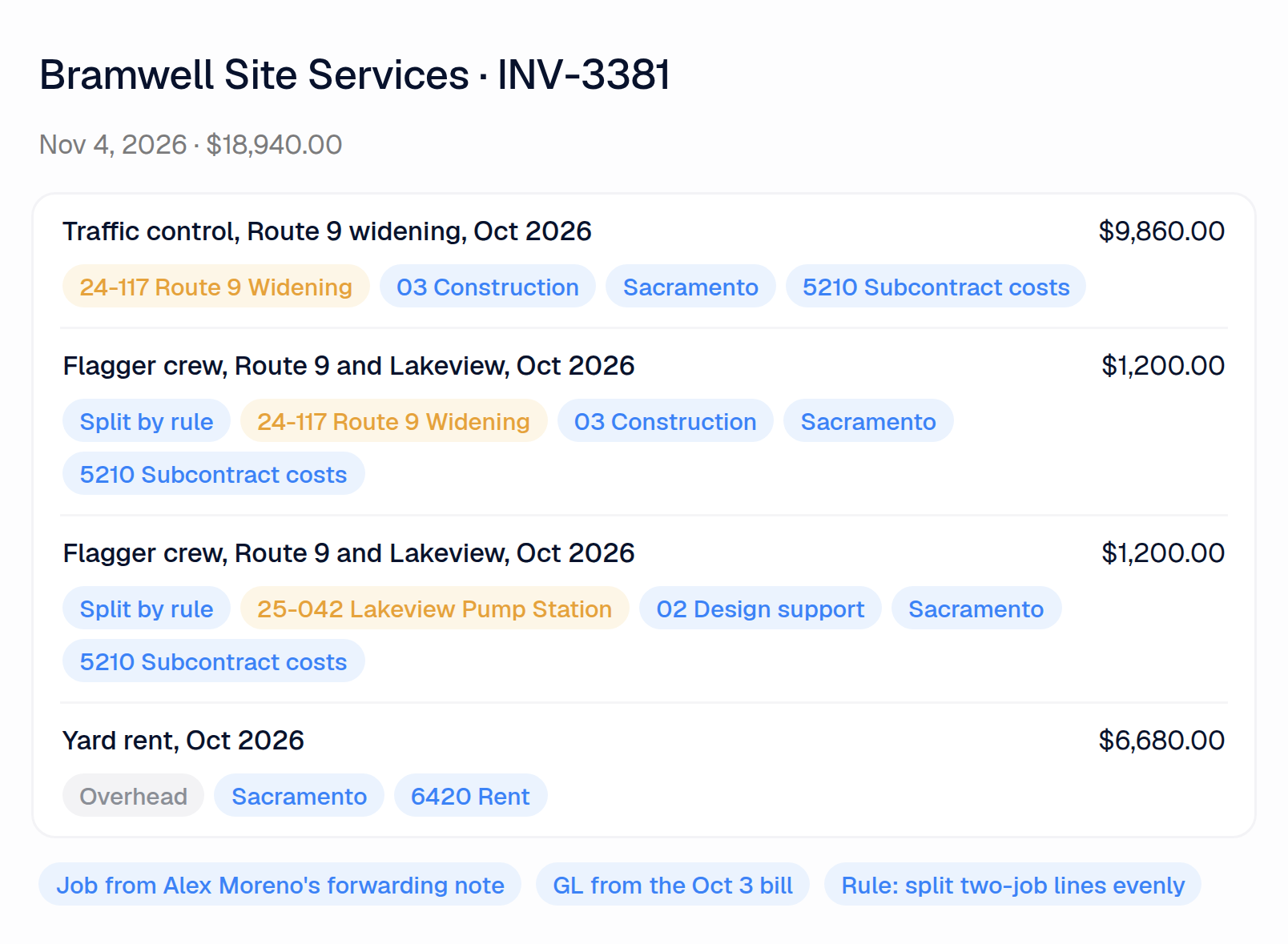
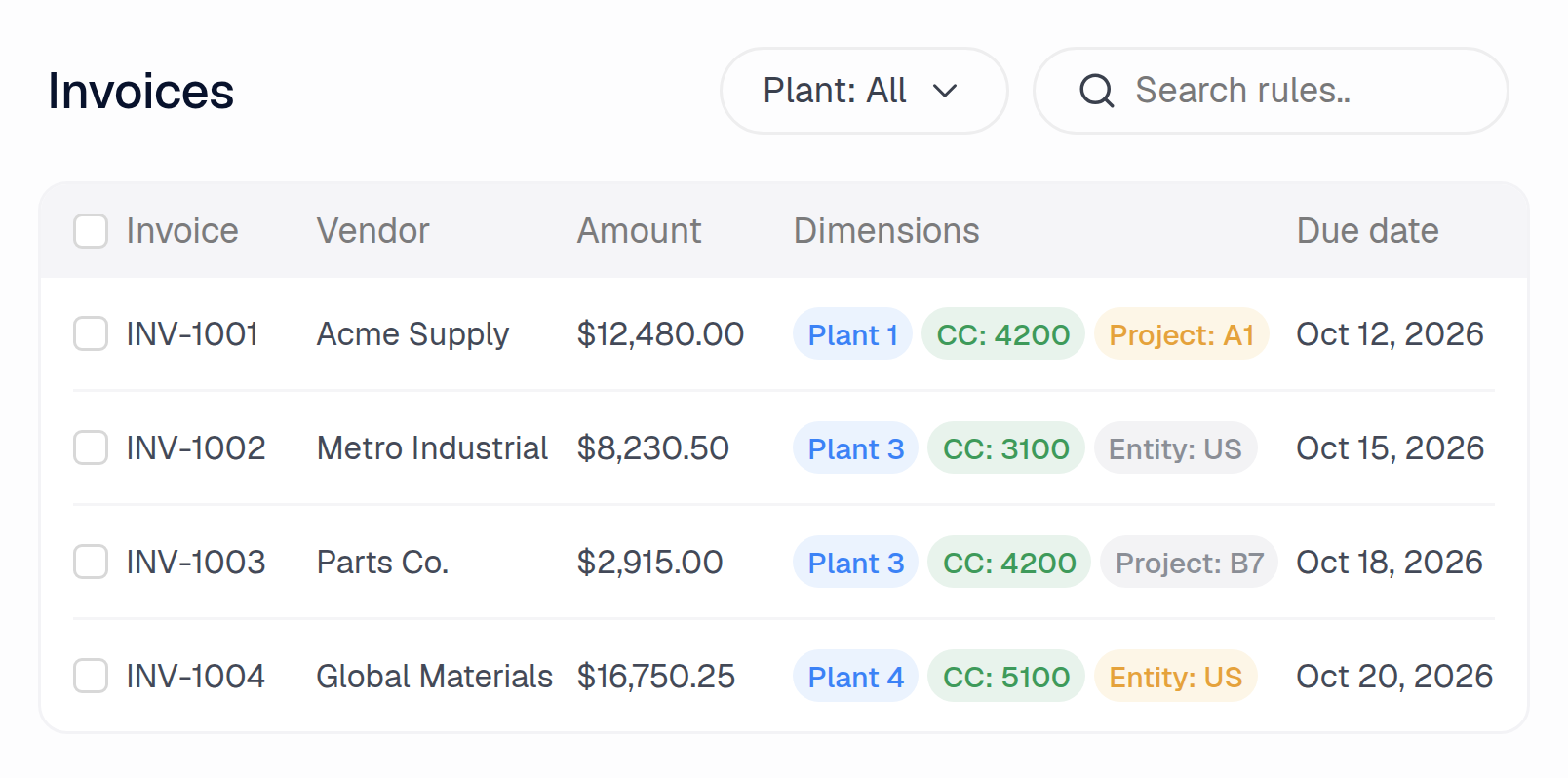
An invoice coded to project, task and office, with one line split across two jobs

Each line is coded to the project, task and office it belongs to, or to a GL account and office when there is no job. The job comes from the invoice, the email it arrived with or a rule your team wrote. Past bills fill in the account, but never move a new bill onto an old job by themselves.
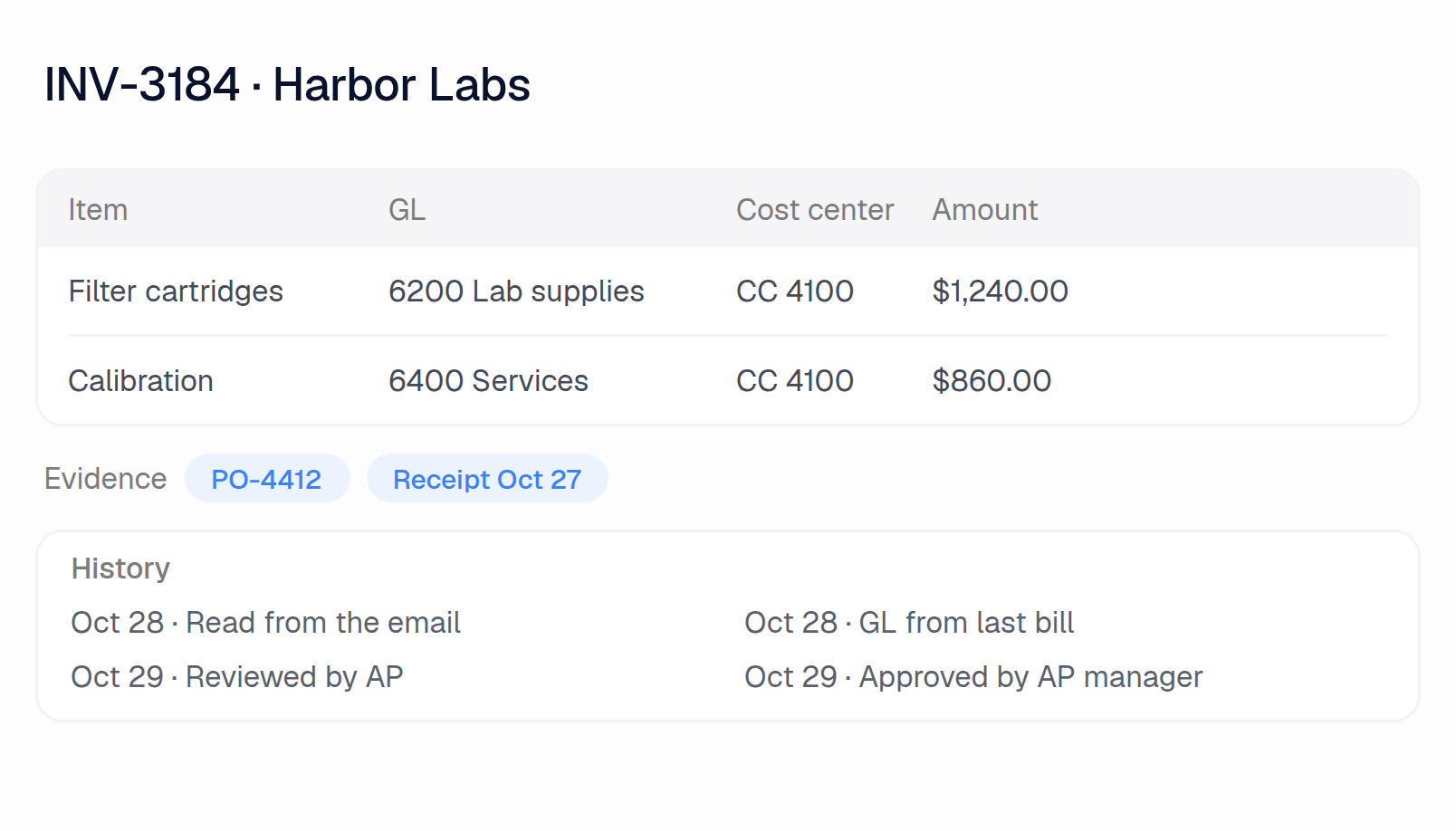
A note from the field sets the coding.

A bill's lines coded from the email and the last bill, with its history

Forward the AP mailbox, and have project managers forward the invoices that reach them on site. Clerked reads every email, pulls out the invoices, sets aside statements and reminders, and reads the note on top, so "this is for the Route 9 job, phase 3" sets the project. Every value shows where it came from.

Fake subs and resent bills, flagged before anyone pays.

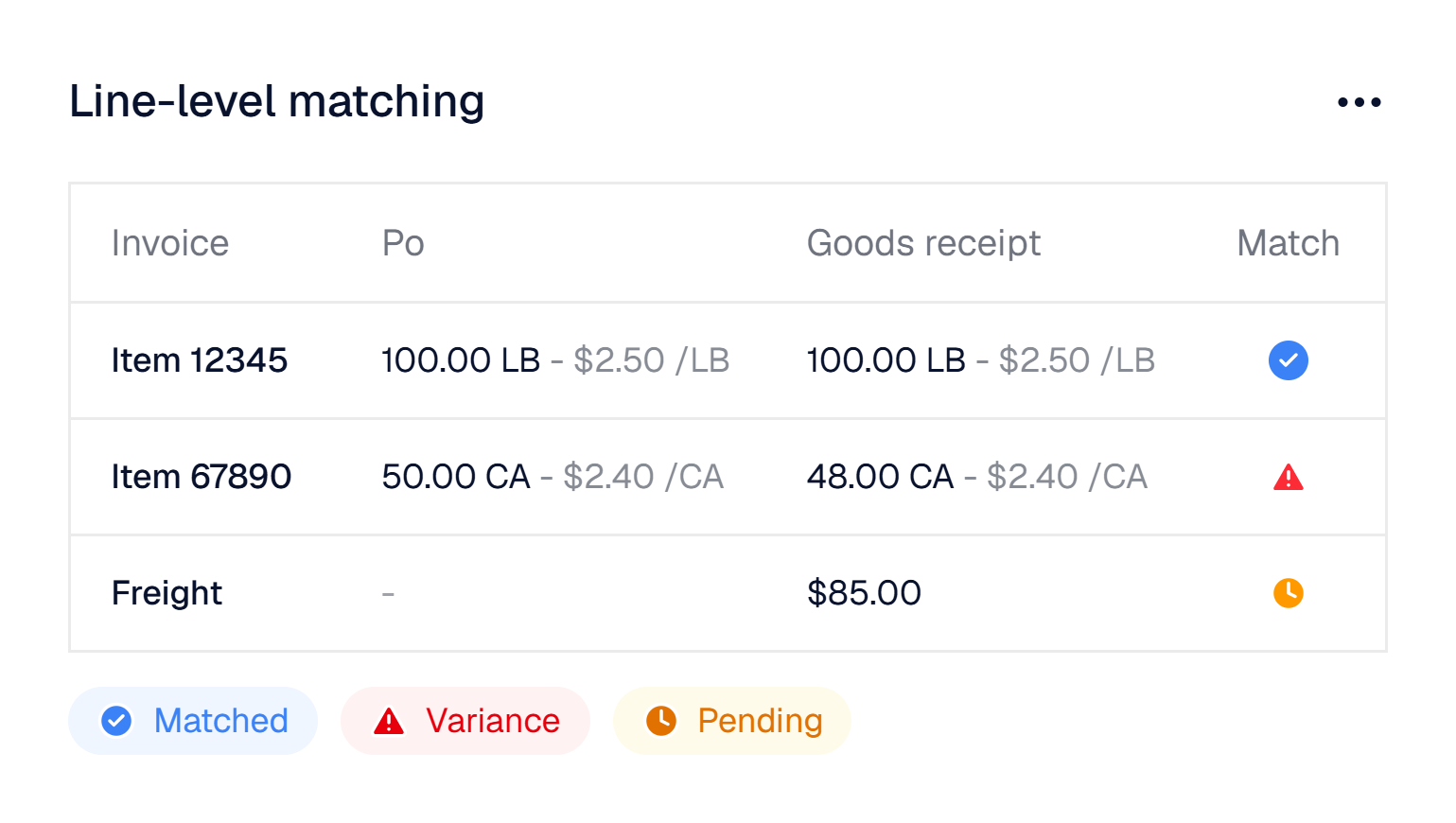
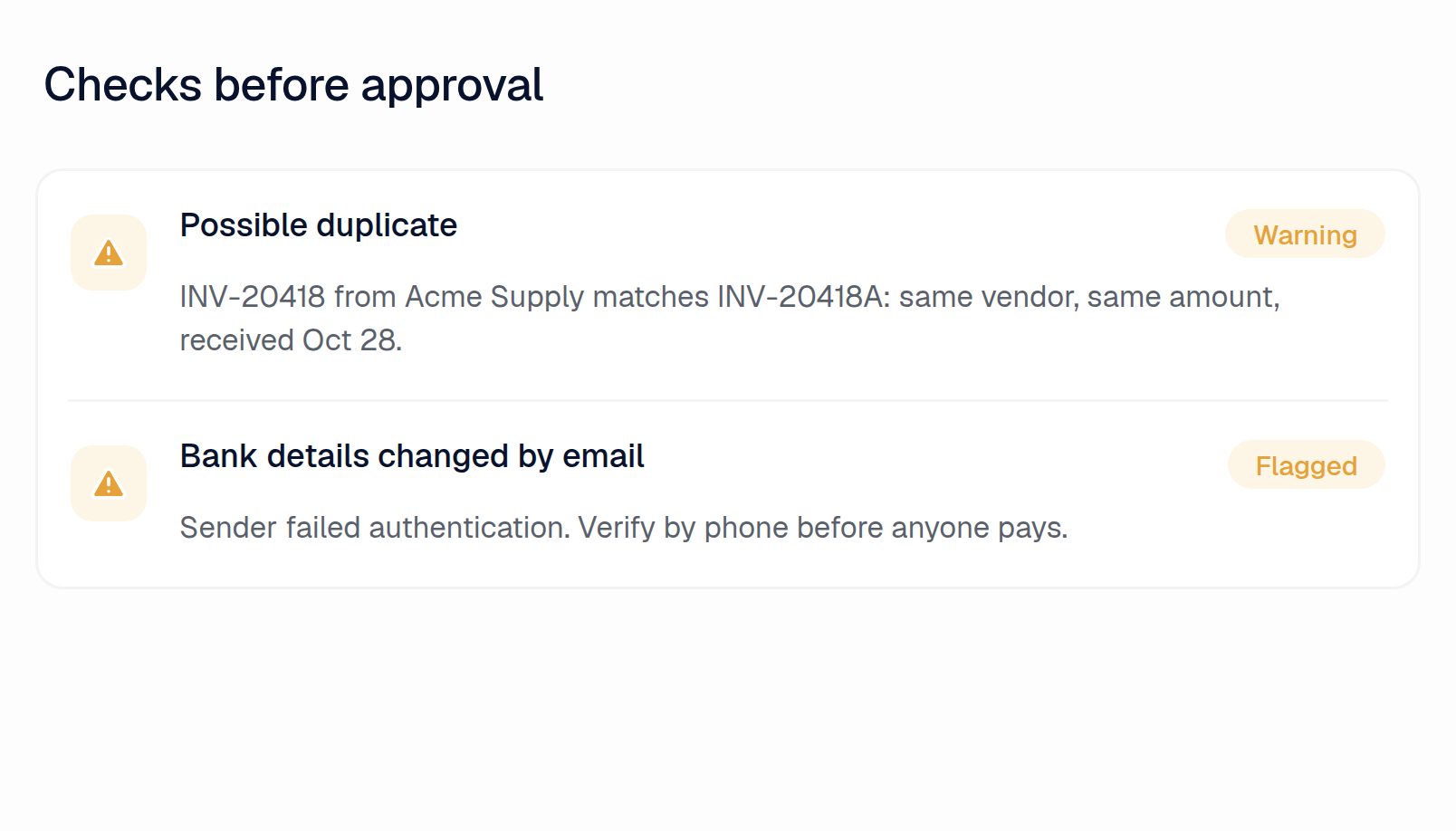
A possible duplicate and a bank-detail change flagged before approval

When an email asks to change a sub's bank details, comes from a look-alike domain or fails authentication, Clerked flags it and tells your team to call the sub on the number you already have. A bill sent twice under a new number is caught as a duplicate, including against bills already in your ERP. A bill well above what that sub usually charges goes to a person to confirm.

Your team only works the exceptions

Before ClerkedBEFOREAutomatedManualAP InboxMatchedVariancePendingPrint andforwardWorkout the jobKey it intothe ERPCode job, task,officeCheck theallocation sheetChasesign-offsPostedPaid
With ClerkedAFTERAutomatedManualAP InboxMatchedVariancePendingRead everyinboxFindthe jobCodeevery lineSplit byruleFlagexceptionsRoute forapprovalSend toyour ERPAPreviewsPMreviewsOffice reviewsPostedPaidNo exceptionsIf exception found

Tap a step for details

Why construction and engineering controllers choose us

Approvals that reach the job site

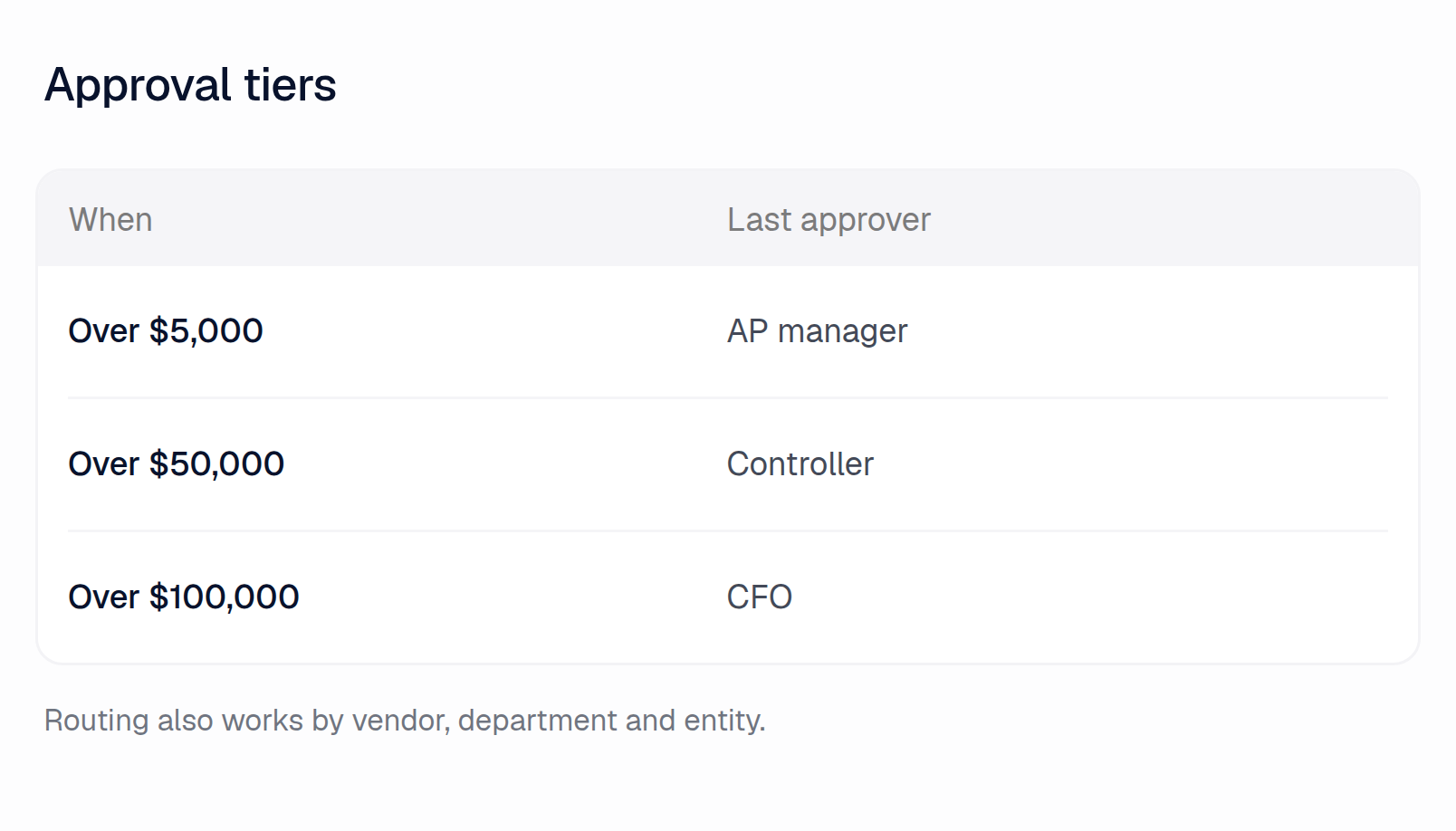
Approval tiers by amount, office and project

Approval rules send each invoice to the project manager or office lead by office, project, department or amount, with more steps as the amount grows. They approve from the email in two presses on a phone, and the next invoice opens by itself. Someone out on a site can hand their approvals to a colleague for set dates.

Split a shared bill across jobs

Invoices coded by project, task and office

Write the rule once, like "split a line that names two jobs evenly between them", or approve one Clark proposes. From then on the lines are split that way, and the invoice keeps its printed total.

Find the invoices stuck in the field

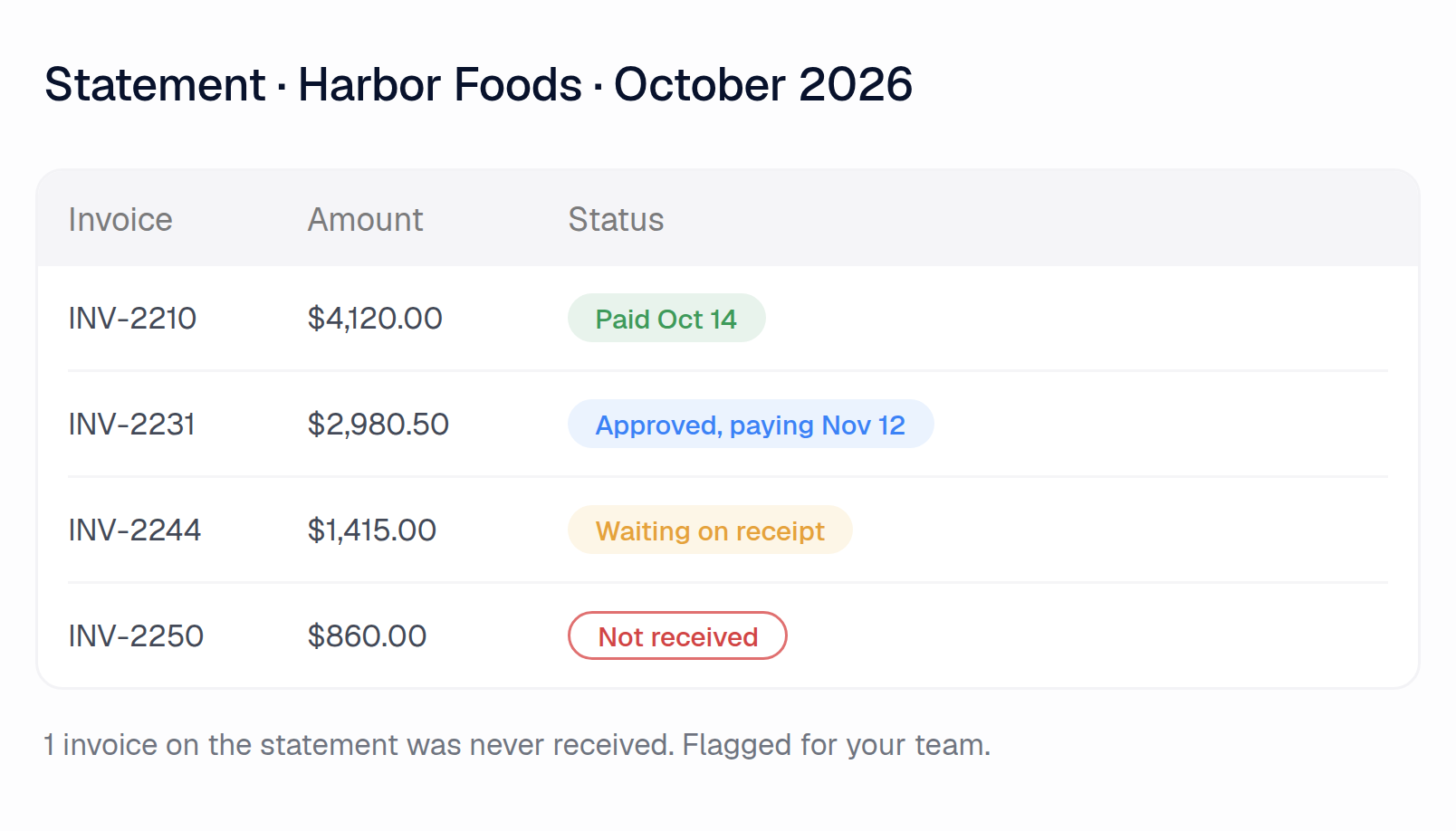
A statement checked line by line, with one invoice never received

When a sub sends a statement, Clerked checks every line against your open invoices and payments and marks the bills you never received, so you know which ones are still with someone on site. When a sub asks when they'll be paid, ask Clark and it drafts the answer from where the bill stands, for your team to send.

Ask what a job has cost

Ask Clark in plain English what a project has been billed this quarter by sub, which sub invoices are still waiting on approval, or who is holding them. You get the answer with the invoices behind it, and a spreadsheet if you want one.

Real memories Clark has built for our customers

Clark keeps its own set of memories and updates them as it learns how your team works. You can create or edit any of them yourself, at any time. Below are real, anonymized memories from our customers.

One line, two jobs

"When one Swiftline Express bill line contains two J-numbers, split it into one line per J-number and allocate the line amount equally between them, using currency precision so the resulting amounts still sum to the original line amount."

Created by Clark

Questions finance teams ask first

Bring us your messiest sub invoices.

Send us a few of your subcontractors and vendors and we'll build your demo on them before we meet.